
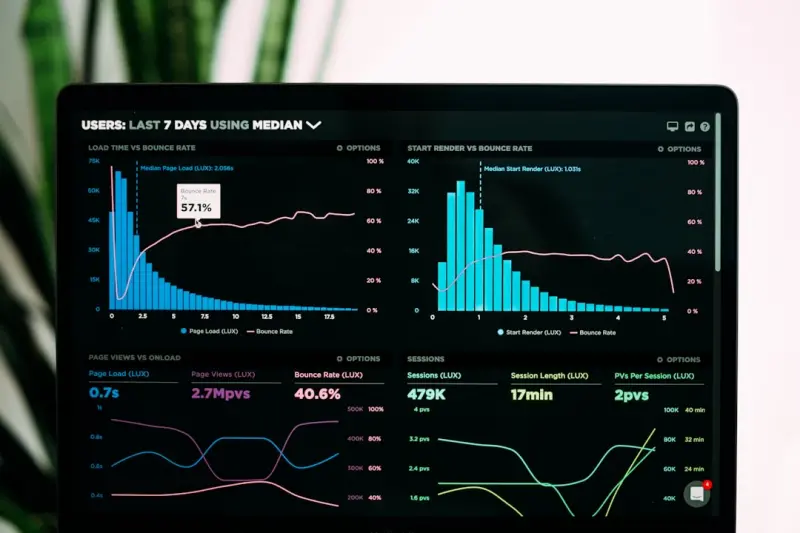
Why Performance Budgets Are the Unsung Heroes of Ecommerce Development
When I first built an online storefront for a boutique coffee retailer, the site looked stunning on my dev machine. Fast was a buzzword I tossed around, but the moment the first real customer tried to load a product page from a mobile network, the experience crumbled under a mountain of assets. The lesson was brutal and clear: beautiful code means nothing if the checkout cart takes longer to appear than a coffee to brew.
In the world of ecommerce, performance isn’t just a nicety—it’s a revenue driver, a brand guardian, and a trust builder. Yet, many development teams treat speed as an after‑thought, hoping that “optimizing later” won’t hurt conversion. The reality is that the longer a shopper waits, the more likely they’ll abandon the cart, and the more your brand’s reputation suffers. That’s why I advocate for performance budgets as the cornerstone of any serious ecommerce website development strategy.
What Exactly Is a Performance Budget?
A performance budget is a set of quantitative limits you impose on the resources a page can consume. Think of it as a financial budget, but instead of dollars, you’re allocating kilobytes, milliseconds, or requests. Typical dimensions include:
- Page weight (total download size, usually in KB/MB)
- Number of HTTP requests (each request adds latency)
- Time to First Byte (TTFB) (server response time)
- First Contentful Paint (FCP) and Largest Contentful Paint (LCP) (perceived load speed)
- Interaction readiness (time before a user can click “Add to Cart”)
By defining these limits up front, you give every stakeholder—from designers to product managers—a clear, enforceable target. No more “let’s add another carousel” debates; the budget will tell you instantly whether that addition is permissible.
Setting Realistic Budgets: Data‑Driven, Not Guesswork
Too often, teams set arbitrary budgets (e.g., “keep the page under 2 MB”) without grounding them in real user data. The first step is to understand the context of your audience:
- Network profiles: Are most shoppers on 4G, 5G, or slower 3G connections? Use analytics to segment by connection speed.
- Device mix: Mobile devices dominate ecommerce, but the exact screen sizes and OS versions matter for asset sizing.
- Geographic latency: Users in remote regions may experience higher round‑trip times; edge delivery can mitigate this (see Edge‑First Ecommerce).
Armed with these insights, you can calculate a “budget ceiling” that aligns with the slowest realistic connection your core customers use. For instance, if 80 % of your traffic comes from users on 4G with an average bandwidth of 8 Mbps, you might target an LCP of under 2.5 seconds, which translates to a total page weight of roughly 300 KB after compression.
Tools and Techniques to Enforce Budgets
Once you have numbers on paper, it’s time to bring the budget to life in your development workflow. Here are the tools I rely on:
- Webpack/Parcel/Rollup budgets: Most bundlers let you define size caps per chunk. When a build exceeds the limit, the process fails, forcing you to address the bloat immediately.
- Lighthouse CI: Integrate Lighthouse performance audits into your CI pipeline. Set thresholds for LCP, FCP, and total byte weight, and treat failures as build blockers.
- WebPageTest automation: Run scripted tests against real browsers and networks, capturing detailed waterfall charts that expose hidden latency spikes.
- Performance budget dashboards: Tools like Calibre or SpeedCurve let you visualize budget adherence over time, turning raw numbers into actionable trends.
These tools do more than just warn you; they embed performance awareness into the daily rhythm of development. When a designer adds a new icon set, the bundler instantly alerts you that you’ve crossed the 150 KB JavaScript budget, prompting a conversation about SVG sprites or lazy loading.
Integrating Budgets with CI/CD: The Guardrails You Need
Modern ecommerce platforms move at a breakneck pace. New features, A/B tests, and seasonal promotions demand frequent deployments. To keep performance in check, your Continuous Integration/Continuous Deployment (CI/CD) pipeline must become the gatekeeper.
- Pre‑commit hooks: Run quick lint and size checks before code even reaches the repository.
- Pull‑request validation: Enforce Lighthouse CI thresholds on every PR. If the new code pushes LCP past the budget, the PR can’t be merged.
- Canary releases: Deploy changes to a small subset of users first and monitor real‑world performance metrics before full rollout.
- Feature flags: Pair budgets with flags to toggle heavy assets on/off based on performance health, allowing you to ship without breaking the user experience.
This safety net ensures that performance regressions are caught early—much like a code style linter catches syntax errors. It also builds a culture where every developer thinks “Will this hurt our budget?” before writing the next line of code.
Edge Delivery Meets Budgets: A Perfect Symbiosis
Performance budgets don’t exist in a vacuum; they work hand‑in‑hand with your content delivery strategy. Edge networks (CDNs, edge compute, and edge caching) can dramatically shrink the distance between your server and the shopper, shaving milliseconds off every request.
When you combine a strict budget with edge‑first architecture, you get two powerful levers:
- Reduced latency: Even a 200 KB image loads faster when served from a PoP (point of presence) just a few miles away.
- Dynamic adaptation: Edge functions can rewrite responses on the fly—serving WebP instead of JPEG for browsers that support it, or stripping out non‑essential scripts for low‑bandwidth users.
The key is to let the edge do the heavy lifting while you keep the core payload lean. This way, you preserve the budget’s integrity across all network conditions, and the edge acts as a performance safety net rather than a crutch.
Design Systems: The Hidden Ally Behind Budget Discipline
One of the most underrated ways to stay within performance budgets is to adopt a robust design system. A design system isn’t just a style guide; it’s a reusable component library, a token-driven theming engine, and a shared language between design and development.
Here’s why it matters for budgets:
- Component reuse reduces duplication. Instead of building a new carousel for each promotion, you pull the same vetted component that already respects the asset budget.
- Consistent asset pipelines. Icons, illustrations, and typography are processed through a single build step, ensuring uniform compression and format decisions.
- Predictable size footprints. When a component is added to the library, its size impact is measured once and recorded, making future budgeting a matter of lookup rather than guesswork.
By treating the design system as the single source of truth for both visual fidelity and performance impact, you eliminate the “design‑first, optimize‑later” cycle that often leads to budget bloat.
Composable Commerce and Budget Flexibility
Composable commerce stacks—where you stitch together best‑of‑breed services via APIs—offer a unique opportunity to enforce performance budgets at the integration layer. Each micro‑service (catalog, cart, checkout, search) can be evaluated for its payload size and response latency before being added to the front‑end.
If you’re considering a new recommendation engine, for example, you can simulate its API payload, measure the added bytes, and decide whether it fits within the existing budget. If it doesn’t, you have two choices: negotiate a slimmer response format with the provider or defer the feature until you can optimize elsewhere.
This approach mirrors the philosophy behind Composable Commerce—you only add what truly adds value, and every addition is scrutinized against performance constraints.
Real‑World Case Study: From 1.8 MB to 380 KB in 90 Days
Let me walk you through a recent project for a mid‑size fashion retailer. Their legacy site averaged 2.3 seconds to First Contentful Paint and suffered a 45 % cart abandonment rate. Here’s the roadmap we followed:
- Audit & Baseline: Using Lighthouse CI, we recorded a total page weight of 1.8 MB, with 68 HTTP requests.
- Define Budgets: Based on 4G user data, we set a 300 KB total weight cap and a maximum of 30 requests per page.
- Component Refactor: Adopted a design system, consolidating UI elements and replacing heavy React bundles with lightweight Alpine.js where appropriate.
- Image Strategy: Implemented responsive
srcsetand switched all product photos to AVIF, cutting image size by 55 %. - Edge Caching: Leveraged a CDN with edge‑function image optimization, serving tailored formats per device.
- CI Enforcement: Integrated Lighthouse thresholds into the PR pipeline; any breach caused an immediate build failure.
After 90 days, the site’s LCP dropped to 1.2 seconds, total weight sat at 380 KB, and the cart abandonment rate fell to 28 %. The performance gains directly translated into a 12 % uplift in revenue during the same period. The budget acted as a guardrail that kept every new feature accountable.
Common Pitfalls & How to Avoid Them
Even with the best intentions, teams stumble. Below are the most frequent mistakes and quick fixes:
- Setting budgets too low—Teams sometimes aim for “instant” loads without considering necessary business functionality. Start with a realistic baseline, then iterate downwards.
- Ignoring third‑party scripts—Analytics, chat widgets, and tag managers can silently blow your budget. Use
asyncanddefer, and regularly audit third‑party impact. - One‑size‑fits‑all budgets—Homepages, product pages, and checkout flows have different needs. Create separate budgets per page type.
- Skipping real‑world monitoring—Lab tools are great, but field data (via Real‑User Monitoring) reveals the true user experience across networks.
- Treating budgets as a checklist—Performance is an ongoing conversation, not a static target. Review budgets quarterly and adjust as product complexity evolves.
Closing Thoughts: Budget Discipline as a Competitive Edge
In ecommerce, speed is a silent salesperson. Every millisecond you shave off the checkout journey is a vote of confidence from the shopper, a reduction in bounce risk, and a direct boost to your bottom line. By establishing, enforcing, and iterating on performance budgets, you embed that confidence into the DNA of your development process.
Remember, budgets are not constraints; they’re enablers. They force you to ask, “Do we really need this?” and “Can we deliver the same value more efficiently?” When paired with edge delivery, design systems, and a composable architecture, they become a strategic advantage that rivals can’t easily copy.
If you’re ready to turn performance from an afterthought into a core pillar, start with a simple audit, set clear numbers, and watch as your ecommerce site transforms from “just another online store” into a frictionless revenue engine that customers love to return to.

Robert Mathews is a professional content marketer and freelancer for many SEO agencies. In his spare time he likes to play video games, get outdoors and enjoy time with his family and friends .
Related Posts

Zero Trust Ecommerce: Fortifying Your Storefront from the Ground Up
Zero trust is reshaping ecommerce development. This guide walks you through applying identity‑cent... Read More

Serverless Commerce: Building Scalable, Agile Stores Without the Overhead
Serverless commerce lets ecommerce teams eliminate infrastructure headaches, achieve instant elastic... Read More

Choosing the Right Tech Stack for Ecommerce Development: A Pragmatic Framework
A practical decision framework helps you cut through hype, align technology choices with business KP... Read More
Top Posts

Designing Green Commerce: Eco‑Friendly UI/UX Strategies for Modern Stores
Learn how to embed sustainability into ecommerce design with minimalist assets, green color palettes, low‑impact micro‑interactions, and transparent messagi...Read More

Low‑Code Revolution: How Open‑Source Ecommerce Empowers Non‑Tech Merchants
Low‑code platforms are unlocking the full potential of open‑source ecommerce, allowing merchants without development skills to build, customize, and scale o...Read More

AI‑Powered Conversational Commerce: From Chat to Cart
Discover how AI‑enhanced chat and voice interfaces turn everyday conversations into frictionless checkout experiences, delivering higher conversion rates and ...Read More

The Narrative Engine: Turning B2B Stories into Meaningful Engagement
A compelling narrative turns transactions into relationships. Discover how to build a narrative engine, integrate AI conversations, and measure success to boost...Read More
0 Comments
Post Comment
You will need to Login or Register to comment on this post!