
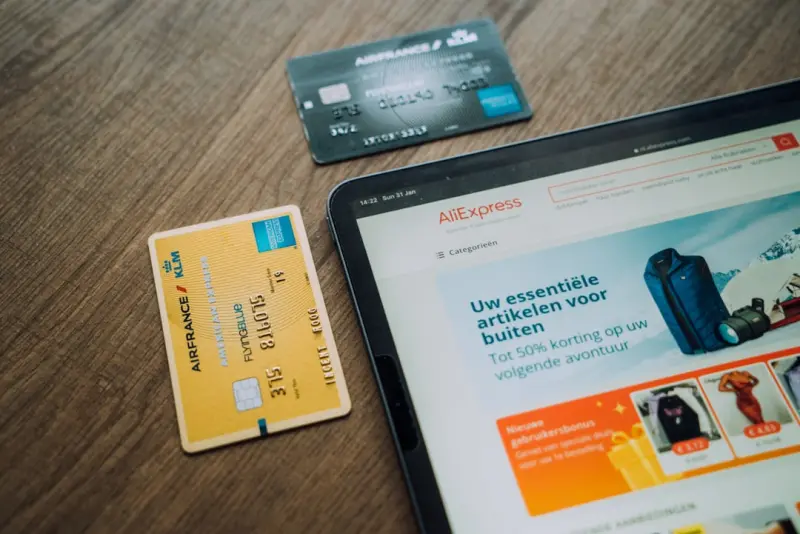
Why the Real Power of B2B Ecommerce Lies in the ERP‑CRM Bridge
When I first stepped into the world of B2B commerce, I was dazzled by the sleek storefronts, the flashy product catalogs, and the promise of digital‑first sales. Yet, the deeper I went, the clearer it became: the true differentiator isn’t the front‑end experience at all—it’s the invisible handshake between your ERP (Enterprise Resource Planning) and CRM (Customer Relationship Management) systems. This handshake orchestrates everything from inventory allocation to contract compliance, and when it works, the buyer’s journey feels frictionless. When it fails, you’ll hear the same complaints over and over: “Why does my order keep getting stuck?” or “Why can’t we see real‑time pricing?”
In this post I’ll walk you through the strategic benefits of a tightly‑coupled ERP‑CRM ecosystem, the technical patterns that make it possible, and the practical steps you can take today to turn a disjointed stack into a growth engine for your B2B ecommerce business.
The Business Case: From Silos to Synergy
Most B2B organizations still run with a classic siloed architecture: a CRM for lead management and sales forecasting, an ERP for inventory, finance, and order fulfillment, and a separate ecommerce platform that acts as a data “middle‑man.” The result? Manual data entry, delayed order confirmation, mismatched pricing, and, ultimately, lost revenue.
By unifying these systems you unlock three core benefits:
- Real‑time pricing and availability. Buyers see exactly what they can purchase at the moment they decide to buy, reducing cart abandonment caused by “out‑of‑stock” surprises.
- Automated credit and contract enforcement. Your ERP’s credit rules and contract‑specific price lists flow directly into the storefront, ensuring compliance without a human gatekeeper.
- Accelerated order‑to‑cash cycles. When the CRM, ERP, and ecommerce platform share the same data model, orders flow straight from the digital cart to fulfillment, invoicing, and cash receipt without a single manual hand‑off.
These advantages translate into measurable ROI: faster sales cycles, higher average order values, and a reduction in operational costs that can easily exceed 10 % of your total ecommerce spend.
Technical Foundations: Data Fabric vs. Point‑to‑Point
There are two prevailing approaches to ERP‑CRM integration:
- Point‑to‑point middleware. A custom script or iPaaS connector shuttles data between systems on a schedule. It’s quick to set up but fragile—any schema change in one system can break the flow.
- Data fabric (event‑driven architecture). A central data hub captures change‑data‑capture (CDC) events from each source, normalizes them, and pushes updates downstream in near real‑time. This is the gold standard for B2B commerce because it eliminates latency and ensures every system speaks the same language.
If you’re still relying on nightly batch uploads, you’re already behind. The market has moved to event‑driven, headless architectures that let the storefront react instantly to inventory changes, price adjustments, or new contract terms. In practice, this means a sales rep can add a custom discount in the CRM and the buyer sees it the second they refresh their cart.
Designing the Integration Blueprint
Here’s a step‑by‑step framework that has worked for the mid‑market B2B brands I’ve consulted with:
1. Map Business Processes, Not Just Data Fields
Start by documenting the end‑to‑end order journey: lead creation → opportunity → quote → contract → order → fulfillment → invoice. Identify where each system currently owns a piece of that journey and where hand‑offs occur. This helps you avoid “data‑only” integration that merely replicates fields without aligning the underlying business logic.
2. Establish a Canonical Data Model
A canonical model defines a single source of truth for core entities: Account, Product, Price List, Order. All systems translate to and from this model. Tools like Apache Kafka with a schema registry, or an iPaaS that supports a master data management (MDM) layer, are ideal for enforcing consistency.
3. Choose the Right Event Bus
For B2B workloads, durability and ordering matter. Kafka, Pulsar, or even a managed service like AWS EventBridge can serve as the backbone. Your ERP emits InventoryChanged, CreditLimitUpdated, while the CRM publishes DealClosed and PriceOverrideApplied. The ecommerce platform subscribes to the events it cares about, updating the storefront instantly.
4. Implement API‑First, Headless Commerce
The ecommerce layer should be headless—exposing a robust set of APIs for cart, checkout, and order management. This decouples the presentation layer (React, Vue, or even a native mobile app) from the core commerce engine, allowing you to surface real‑time ERP/CRM data wherever the buyer is.
When you combine a headless approach with an event‑driven data fabric, you get the best of both worlds: the flexibility to innovate on the front‑end and the reliability of a synchronized back‑end.
5. Build a Governance Layer
Data governance isn’t a “nice‑to‑have.” Define who can write to key entities (e.g., price overrides) and enforce validation rules at the event hub level. This prevents a rogue sales rep from inadvertently breaking pricing rules across the entire catalog.
6. Monitor, Alert, and Iterate
Finally, instrument every integration point. Use distributed tracing (OpenTelemetry) to see where an order request spends time—be it a CRM lookup or an ERP inventory check. Set alerts for anomalies like “price mismatch” or “order latency > 2 seconds.” The data you collect fuels continuous improvement.
Performance Implications: Speed Is Still Strategy
Even though we’re focusing on integration, you can’t ignore performance. A B2B buyer’s tolerance for latency is razor‑thin; a delay of just a second can cost you a high‑value contract. The same principles from performance‑first engineering apply here: cache frequently accessed reference data (price lists, product hierarchies) close to the storefront, and use async processing for non‑critical actions like post‑order analytics.
One pattern that works wonders is the “read‑through cache.” When the storefront needs a product’s price, it first checks an in‑memory cache (Redis, for example). If the entry is missing, the cache service pulls the latest price from the event bus, writes it back, and returns it to the shopper—all within sub‑second latency.
Real‑World Success: A Case Study in Action
Let’s look at a mid‑size industrial supplies distributor that was struggling with “price drift.” Their sales team manually entered discounts in the CRM, but the ecommerce site still displayed list prices, leading to frequent “price‑mismatch” tickets. By implementing an event‑driven ERP‑CRM bridge, they achieved the following:
- Zero price‑mismatch tickets. All discount rules propagated instantly to the storefront.
- 30 % reduction in order‑to‑cash cycle. Orders moved from manual entry in the ERP to automatic fulfillment.
- 15 % lift in average order value. Real‑time inventory visibility encouraged buyers to add complementary items that were previously “out of stock.”
The key takeaway? When the data flow becomes seamless, the sales team can focus on selling, and the buyer experiences confidence—not confusion.
Getting Started: A 90‑Day Playbook
If you’re ready to bridge the ERP‑CRM gap, follow this accelerated roadmap:
- Week 1–2: Discovery. Conduct stakeholder interviews across sales, finance, supply chain, and IT. Map the order journey and capture existing pain points.
- Week 3–4: Architecture Design. Choose your event bus, define the canonical model, and select a headless commerce platform that supports real‑time API calls.
- Week 5–8: MVP Development. Build a minimal integration that syncs accounts, products, and pricing. Deploy a sandbox storefront for internal testing.
- Week 9–10: Pilot. Roll out to a single sales region or product line. Gather feedback, monitor latency, and refine validation rules.
- Week 11–12: Scale. Expand the integration to all product families, enable advanced features like contract‑based pricing, and lock down governance.
Remember, the goal isn’t to build a perfect system in 90 days—it's to create a functional foundation that you can iterate on. The sooner you get data flowing, the faster you’ll see revenue impact.
Future‑Proofing: AI, IoT, and Beyond
While this post isn’t about AI‑driven personalization, the ERP‑CRM bridge you build today is the launchpad for those advanced capabilities tomorrow. Imagine feeding real‑time sensor data from IoT‑enabled equipment into your ERP, then surfacing predictive maintenance offers directly in the B2B storefront. Or using AI to recommend upsell bundles based on a customer’s historical purchase patterns—both require a solid, synchronized data foundation.
In short, the integration you implement now determines how quickly you can adopt emerging tech without re‑architecting from scratch.
Conclusion: Turn the Invisible Into a Competitive Advantage
The B2B ecommerce battlefield is noisy—shiny UI kits, aggressive SEO tactics, and endless personalization promises vie for attention. But the real differentiator lives in the infrastructure that powers those experiences. A robust ERP‑CRM bridge delivers real‑time pricing, eliminates manual errors, and accelerates order fulfillment—all critical levers for winning high‑value B2B contracts.
If you’ve been treating your ERP and CRM as separate islands, it’s time to build a bridge. Not only will you reduce friction for your buyers, you’ll also free up your sales and operations teams to focus on what they do best: growing revenue.
Start mapping those data flows today, and watch your B2B ecommerce platform evolve from a simple catalog into a strategic growth engine.

Robert Mathews is a professional content marketer and freelancer for many SEO agencies. In his spare time he likes to play video games, get outdoors and enjoy time with his family and friends .
Related Posts

How IoT Is Rewriting the Rules of B2B Ecommerce
IoT sensors are transforming B2B ecommerce by providing real‑time inventory visibility, enabling p... Read More
Account‑Based Commerce: Turning B2B Buyers into Loyal Partners
Account‑Based Commerce (ABC) reshapes the B2B buying journey by delivering contract‑specific pri... Read More
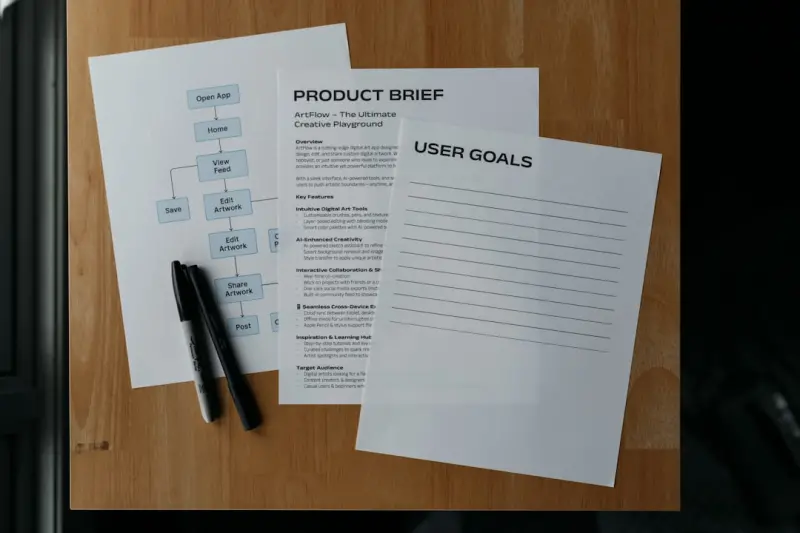
From Order Sheets to Partnerships: The Account‑Based Commerce Playbook
Discover how shifting to an account‑based commerce model turns traditional B2B transactions into s... Read More
Top Posts

Open‑Source Commerce: The Strategic Engine for Real Business Agility
Open‑source e‑commerce isn’t just a free alternative—it’s a partnership that offers transparency, community‑driven innovation, and a sustainable mar...Read More
Micro‑Frontend Mastery: Future‑Proofing Your Ecommerce Development
Learn why micro‑frontend architecture is the missing link for modern ecommerce development, how it improves performance and team velocity, and a step‑by‑s...Read More
Serverless Commerce: Building Agile Ecommerce Websites without the Server Overhead
Serverless commerce lets you deliver lightning‑fast shopping experiences while paying only for what you use. Learn the core components, benefits, challenges, ...Read More

Neuroinclusive Design: Building Ecommerce Experiences That Work for Every Brain
Neuroinclusive design goes beyond accessibility, tailoring ecommerce interfaces to the diverse ways people think and process information. Discover actionable st...Read More
0 Comments
Post Comment
You will need to Login or Register to comment on this post!