

Micro‑Feedback: Turning Every Interaction Into a Growth Engine
When I first stepped into the world of B2B SaaS, I was dazzled by the promise of “sticky” products and churn‑reduction formulas. Over the years, I’ve realized that the real adhesive isn’t a feature list or a slick onboarding video—it’s the relentless, bite‑sized feedback we harvest from customers every single day. In this post I’ll walk you through why micro‑feedback matters, how to embed it into the fabric of your product, and the concrete steps you can take to transform ordinary support tickets into a perpetual engine for growth.
The Blind Spot in Traditional Engagement Playbooks
Most engagement strategies still operate on a quarterly cadence: a massive survey in Q1, a NPS push in Q2, a feature‑release webinar in Q3. Those moments are valuable, but they’re also too infrequent to capture the fluid reality of how users actually experience your platform. By the time you aggregate the data, the pain points have already shifted, and the opportunities you missed are already being addressed by a competitor.
Micro‑feedback flips this script. Instead of waiting for a scheduled pulse, you collect a continuous stream of short, contextual signals—think a one‑click sentiment button after a help‑center article, a “Was this helpful?” prompt in a live chat, or an automated check‑in after a user completes a key workflow. The magic isn’t in the volume of data; it’s in the immediacy and relevance of each data point.
Why Micro‑Feedback Beats the Traditional Survey
- Contextual relevance – Feedback is tied to a specific action, so users can answer accurately without having to recall their entire experience.
- Higher response rates – A single‑click rating takes seconds, dramatically increasing participation compared to a 10‑minute survey.
- Real‑time insights – You can surface friction points within minutes, allowing product teams to iterate faster.
- Reduced bias – By gathering many small data points, you dilute the impact of outlier opinions that can skew quarterly NPS scores.
Embedding Micro‑Feedback Without Disrupting the Flow
One of the biggest concerns I hear from product leaders is “Will this annoy our users?” The answer is a resounding no—provided you follow three simple design principles:
- Ask at the moment of completion. A user finishes a report export; pop a tiny “Did the export work as expected?” badge. The question feels natural because it follows the action.
- Keep it visual and unobtrusive. Use a simple thumbs‑up/thumbs‑down icon or a 1‑5 star bar that disappears after a second or two. No modal windows, no forced text entry.
- Close the loop. If a user indicates dissatisfaction, instantly surface a help article or route them to a live agent. Demonstrating that you’ve heard them reinforces engagement.
Turning Support Interactions Into Data Goldmines
Support tickets have long been treated as a “cost center” rather than a source of strategic insight. When you map each ticket to a micro‑feedback score, you unlock a two‑dimensional view of satisfaction: what the issue was, and how the user felt about the resolution.
Here’s a quick framework I use in my own teams:
- Tag the issue type. Use an automated classifier to label tickets (e.g., “Billing”, “Feature Request”, “Bug”).
- Attach a post‑resolution sentiment prompt. After the ticket is closed, ask “Was this solution helpful?” with a one‑click rating.
- Feed the data into a live dashboard. Surface trends by issue type, sentiment score, and time to resolution. Spot spikes in dissatisfaction before they become churn triggers.
When you combine these micro‑feedback loops with a conversational loop technique, you turn every support exchange into an opportunity to deepen trust.
Leveraging Feature Flags for Dynamic Feedback Requests
Feature flags aren’t just for rolling out code safely; they’re also a powerful lever for experimenting with feedback mechanisms. By toggling a micro‑feedback widget on only for a subset of users, you can A/B test phrasing, placement, and timing without impacting the entire user base.
Imagine you’re launching a new analytics dashboard. You could enable a “quick pulse” for 20% of users, collect their sentiment, and iterate the UI before a full rollout. This approach reduces risk and ensures you’re building features that truly resonate.
The feature‑flagging methodology also lets you silence the feedback request for high‑value accounts when you know they’re in the middle of a critical workflow, preserving the user experience.
Building a Micro‑Feedback Culture Across Teams
Data alone won’t move the needle; the organization must embrace a culture that values every micro‑signal. Here are three rituals that help cement this mindset:
- Daily “Signal Stand‑up”. A 15‑minute meeting where the product, support, and CX teams review the latest micro‑feedback highlights and decide on immediate actions.
- Quarterly “Feedback Retrospective”. Look beyond the numbers to uncover patterns—are there recurring friction points in a specific workflow? Use those insights to prioritize roadmap items.
- Recognition program. Celebrate team members who close the loop on a dissatisfied user within 30 minutes. Public acknowledgment reinforces the importance of rapid response.
Measuring Success: The New KPIs
Traditional engagement metrics—login frequency, feature adoption rate, churn—remain important, but they need to be complemented with micro‑feedback KPIs:
- Feedback Response Rate (FRR) – Percentage of micro‑feedback prompts that receive a rating.
- Instant Satisfaction Score (ISS) – Average sentiment within the first 24 hours of a user interaction.
- Resolution Loop Time (RLT) – Time from negative feedback to the moment a user receives a remedial action.
Tracking these metrics alongside NPS gives you a real‑time health check, enabling you to pivot before quarterly results become a surprise.
Case Study: From Reactive Support to Proactive Delight
At a mid‑size SaaS firm I consulted for, the support team was handling ~2,500 tickets per month with an average resolution time of 48 hours. The NPS was stagnant at 38. We introduced a micro‑feedback widget on every ticket closure, paired with a feature‑flagged “quick pulse” on the new reporting module.
Within six weeks we observed:
- FRR jumped from 12% to 68%.
- ISS for the reporting module hit 4.7/5, up from a baseline of 3.9.
- RLT for negative scores dropped to under 4 hours, because the system auto‑routed those tickets to a senior specialist.
- Overall churn decreased by 9%, and NPS climbed to 45 after the next quarterly survey.
The key takeaway? Small, contextual nudges—combined with the right operational discipline—can shift a support function from a cost center to a strategic growth catalyst.
Getting Started: Your First 30‑Day Playbook
If the idea of a micro‑feedback ecosystem feels overwhelming, break it down into three weekly sprints:
- Week 1 – Identify high‑impact touchpoints. Map out the top five user actions where a quick rating would be most valuable (e.g., after a file upload, after a dashboard view).
- Week 2 – Build the widget. Use your existing UI library to create a lightweight rating component. Keep the code behind a feature flag so you can toggle it on for a test cohort.
- Week 3 – Deploy and monitor. Release to 10% of users, track FRR and ISS, and iterate on phrasing or placement based on the early data.
After the initial month, expand the coverage, integrate the data into your product analytics platform, and start the daily “Signal Stand‑up”. Before long, you’ll have a living pulse on your customers’ experience—one that evolves as fast as your product does.
Conclusion: The Future Is a Conversation, Not a Campaign
Customer engagement isn’t a quarterly marketing push; it’s an ongoing dialogue that happens in the milliseconds after every click. By embracing micro‑feedback, you give your users a voice that’s heard instantly, and you give your teams a roadmap that’s updated in real time.
When you treat every interaction—whether it’s a support ticket, a feature rollout, or a simple UI click—as a data point, you transform the ordinary into the extraordinary. The result is a virtuous cycle where satisfaction fuels adoption, adoption fuels advocacy, and advocacy fuels growth.

Sanji Patel has dedicated 25 years to the SEO industry. As an expert SEO consultant for news publishers, he emphasizes providing both technical and editorial SEO services to news publishers worldwide. He frequently speaks at conferences and events globally and offers annual guest lectures at local universities.
Related Posts
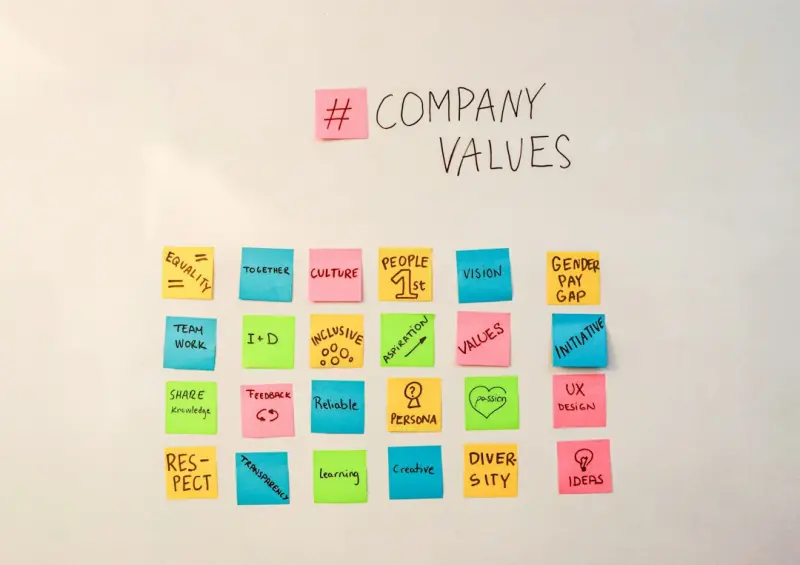
Co‑Creating Value: How Collaborative Communities Supercharge Engagement
Discover a fresh approach to customer engagement by building collaborative communities where users c... Read More
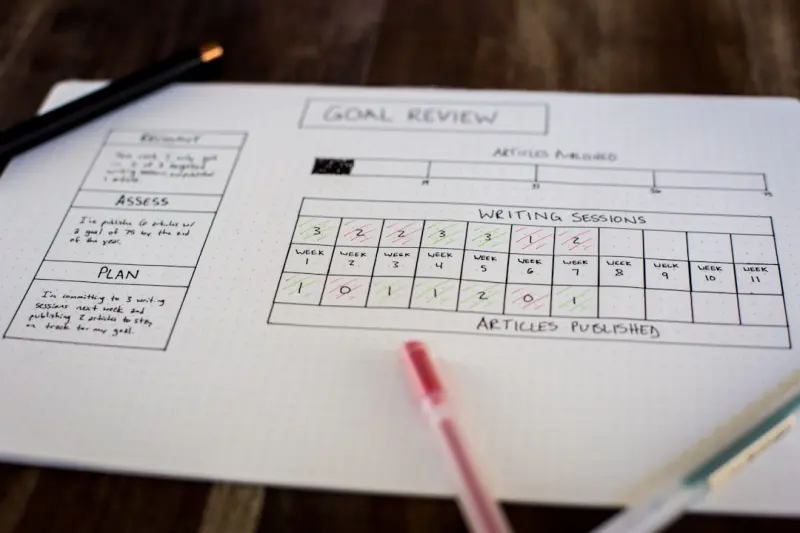
Milestone‑Driven Rewards: A Fresh Blueprint for B2B Customer Engagement
Learn to design a milestone‑driven rewards program that celebrates meaningful customer achievement... Read More
From Feedback to Fidelity: Building a Loop of Continuous Customer Delight
Discover a practical framework for turning everyday customer signals into actionable insights, foste... Read More
Top Posts

Modular Mastery: Turning Self‑Hosted Ecommerce into a Living Marketplace
A deep dive into modular self‑hosted ecommerce, showing how a lean core, plug‑in marketplace, AI‑driven personalization, and edge computing can create a f...Read More

International SEO Playbook for Scaling eCommerce
A step‑by‑step guide showing eCommerce teams how to master international SEO—from hreflang architecture and localized keyword clustering to multilingual s...Read More

Turning Your Open‑Source Store into a Thriving Marketplace
Discover a step‑by‑step roadmap to transform a traditional open‑source shop into a scalable marketplace, covering data isolation, payment splitting, lowâ€...Read More

The Compliance Edge: How Hosted Ecommerce Simplifies Global Tax and Data Rules
Hosted ecommerce platforms now offer built‑in tax logic, automated filing, and data‑residency controls, letting brands expand globally without drowning in c...Read More
0 Comments
Post Comment
You will need to Login or Register to comment on this post!