
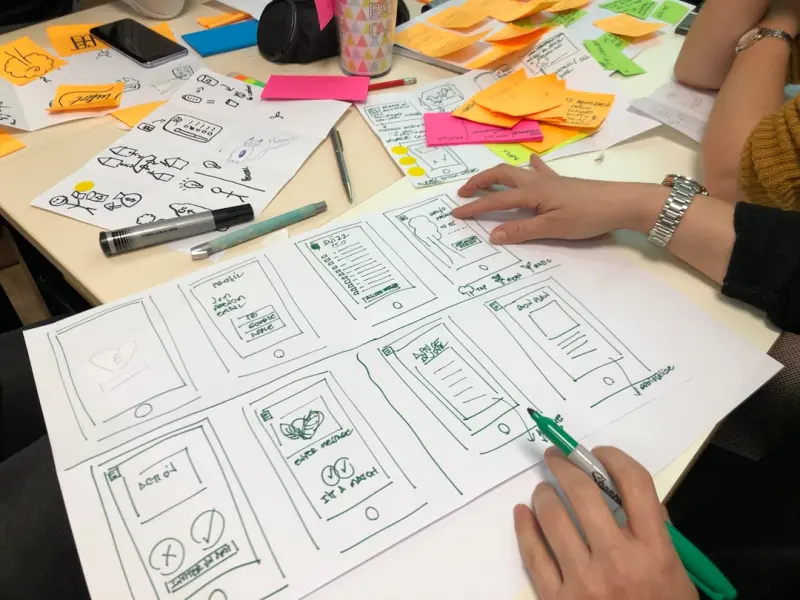
Why Inclusive Design Isn’t Just a Nice‑to‑Have, It’s a Must‑Have
When I first stepped into the world of ecommerce design, my checklist looked a lot like every other designer’s: speed, conversion, mobile‑first. It took a conversation with a longtime customer who uses a screen reader to realize that I’d been designing for a narrow slice of the market. The truth is, a truly successful ecommerce experience must work for everyone—whether that means a user with low vision, a neurodivergent shopper who gets overwhelmed by motion, or someone navigating with voice commands on a smart speaker.
The Business Case for Accessibility (Beyond Compliance)
Let’s be frank: compliance with WCAG (Web Content Accessibility Guidelines) is the floor, not the ceiling. An accessible site tends to be more usable, faster, and—most importantly—more trustworthy. Research consistently shows that users who encounter accessibility barriers abandon a purchase up to 50 % more often than those who don’t. That translates directly into lost revenue, higher bounce rates, and a damaged brand perception.
But the upside is bigger than avoiding loss. Accessible design broadens your addressable market. In the United States alone, roughly 26 million adults have some form of disability. Add the growing segment of older adults who experience age‑related changes in vision or motor skills, and you’re looking at a substantial portion of potential customers who will gravitate toward brands that respect their needs.
From Pixels to Perception: Core Pillars of Inclusive Ecommerce Design
- Semantic Structure & Clear Navigation – Use proper heading hierarchy, ARIA labels, and logical tab order. A well‑structured page is instantly more understandable for assistive technologies.
- Contrast & Color Choices – Aim for a minimum 4.5:1 contrast ratio for body text and 3:1 for large text. Avoid relying on color alone to convey meaning; supplement with icons or text.
- Keyboard‑Only Interaction – Ensure every interactive element can be reached and activated via the keyboard. This benefits power users, people with motor impairments, and anyone who prefers a mouse‑free workflow.
- Responsive & Adaptive Layouts – Not just mobile‑first, but context‑first. Think about how a user with a screen magnifier may need extra whitespace, or how a voice‑only interface might need concise, linear prompts.
- Content Readability – Use plain language, short sentences, and avoid jargon. Offer alternatives for complex product details, such as audio descriptions or simplified bullet points.
Design Systems: The Secret Sauce for Consistent Accessibility
One of the biggest challenges in scaling inclusive design is maintaining consistency across hundreds of product pages and campaigns. That’s where a robust design system becomes indispensable. By codifying color palettes, typography, component states, and accessibility patterns, teams can ship new features without re‑inventing the wheel each time.
In practice, a design system should include:
- Accessible component libraries (buttons with focus indicators, form fields with clear error messages).
- Guidelines for alt‑text, ARIA roles, and live region announcements.
- Testing scripts that run automated contrast checks and keyboard navigation audits on every build.
When you treat accessibility as a reusable asset, you reduce technical debt and free up designers to focus on higher‑order problems—like creating emotional resonance without overwhelming the user.
Storytelling Without Barriers: Narrative Design for All Audiences
Good ecommerce design tells a story, but that story should be readable by every audience, regardless of ability. The narrative design approach encourages you to think of each product page as a micro‑journey: a hook, a conflict (the problem the product solves), and a resolution (the purchase).
For inclusive storytelling, consider these tactics:
- Multimodal Media – Pair product images with short video clips that include captions and audio descriptions. This gives sighted users a visual cue while providing essential information for screen reader users.
- Progressive Disclosure – Offer a concise summary at the top, then let users expand sections for deeper details. This respects users who need quick answers and those who want exhaustive specs.
- Emotionally Resonant Language – Use language that conveys benefits without relying on visual metaphors that may be lost on non‑visual users.
Micro‑Interactions Reimagined: Subtle Yet Powerful Cues
Micro‑interactions—those tiny animations or feedback loops—are often praised for delighting users, but they can also become a source of distraction or trigger sensory overload. The trick is to make them optional and context‑aware. Offer a toggle in your accessibility settings that lets users reduce motion, hide animations, or switch to a high‑contrast mode. When you give control back to the shopper, you’re not only complying with accessibility standards; you’re building trust.
Voice Commerce: Designing for the Ear, Not Just the Eye
Voice assistants are moving from novelty to necessity, especially for hands‑free shopping. Designing for voice means thinking in terms of conversational flow, not visual hierarchy. Here are three practical steps:
- Clear, Concise Prompts – Keep prompts under 12 words to reduce cognitive load.
- Confirmation Patterns – Echo back key details (product name, quantity, price) before finalizing the order.
- Fallback Strategies – If the system misinterprets a request, provide an easy way to re‑enter the query without starting over.
Integrating voice commerce doesn’t require a full redesign; you can layer it on top of existing UI components and expose the same product data through a voice‑friendly API.
Testing for Inclusion: From Automated Checks to Real‑World Validation
Automation can catch contrast failures, missing alt attributes, and keyboard traps, but it can’t replace human testing. Conduct regular usability sessions with participants who have a range of abilities—screen reader users, color‑blind testers, and neurodivergent shoppers. Observe how they navigate checkout flows, handle error messages, and interact with promotional banners.
Document findings in a living accessibility audit and prioritize fixes based on impact. Remember: a single barrier on the checkout page can cost you a sale, while a smooth, inclusive journey can turn a first‑time buyer into a lifelong advocate.
Case Study: Turning Accessibility Into a Conversion Engine
One of our clients, a mid‑size fashion retailer, struggled with a 12 % cart abandonment rate among users on assistive technologies. By applying the inclusive design principles outlined above—introducing a high‑contrast toggle, simplifying the checkout form, and adding audio descriptions for product images—they reduced abandonment to 4 % within two months. Revenue per visitor increased by 8 %, and the brand received positive press for its commitment to accessibility.
Actionable Checklist for Your Next Ecommerce Redesign
- Audit your current site with an accessibility scanner and note all WCAG violations.
- Map out a design system that embeds accessible components from the start.
- Introduce multimodal content (captions, audio descriptions) for all hero images and product videos.
- Implement a global accessibility settings panel (high contrast, reduced motion, font size).
- Prototype voice‑first checkout flows and test with real users.
- Schedule quarterly usability sessions with participants representing diverse abilities.
- Track conversion metrics for each accessibility improvement to prove ROI.
Beyond the Checklist: Cultivating an Inclusive Culture
Technology alone won’t solve the problem. Your design, product, and engineering teams need to internalize the value of inclusive experiences. Encourage cross‑functional workshops, celebrate accessibility wins in company newsletters, and make “inclusive design” a KPI in performance reviews. When accessibility becomes part of your DNA, every new feature automatically inherits those principles.
Wrapping Up: Inclusive Design as a Competitive Differentiator
In a crowded ecommerce landscape, the brands that stand out are the ones that make every shopper feel seen, heard, and respected. Inclusive design is not a bolt‑on; it’s a strategic lever that drives higher conversions, stronger loyalty, and a reputation that resonates far beyond the checkout page. Start small, iterate fast, and let the data prove that designing for everyone truly makes everyone win.

Jimmy Anand is a content creator that gets inspired by many aspects of life, internet or whatever inspires him at that moment. When he's not online he's gaming and when he is not gaming he is online trolling discussion boards.
Related Posts

Reviving Lost Sales: UI/UX Tactics to Win Back Abandoned Carts
Learn how to design a frictionless, trustworthy checkout experience that nudges abandoned shoppers b... Read More

Designing Trust‑Centric Ecommerce Experiences: Why Visual Credibility Beats Flashy Features
A trust‑first approach to ecommerce design outperforms flashy features. Learn how authentic photog... Read More

Designing B2B Ecommerce for Global Audiences: Cultural UI/UX Strategies
Learn how to create culturally aware B2B ecommerce experiences by adapting visual hierarchy, color p... Read More
Top Posts

Design Systems: The Backbone of Scalable Ecommerce UI
A design system isn’t a luxury—it's a critical engine for ecommerce growth, delivering consistency, performance, and scalability while protecting brand inte...Read More

Structured Data: The Hidden SEO Engine for eCommerce
Structured data transforms product pages into rich search results, driving higher click‑through rates and better visibility across Google, voice assistants, a...Read More

Modular Mastery: Turning Self‑Hosted Ecommerce into a Living Marketplace
A deep dive into modular self‑hosted ecommerce, showing how a lean core, plug‑in marketplace, AI‑driven personalization, and edge computing can create a f...Read More

Storytelling in Pixels: How Narrative Design Transforms Ecommerce
A deep dive into narrative design for ecommerce, showing how story‑driven UI, reusable design system components, and immersive technologies can turn browsers ...Read More
0 Comments
Post Comment
You will need to Login or Register to comment on this post!