
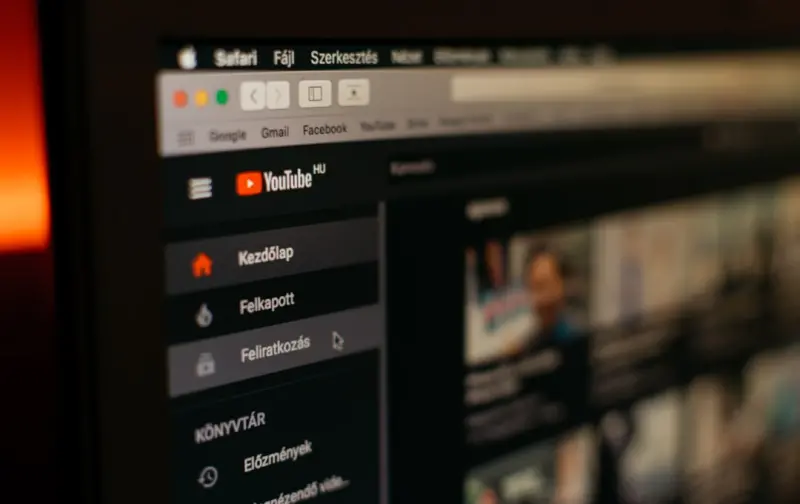
When I first started tinkering with product pages, I thought the biggest SEO win would be a tighter keyword list or a smarter internal linking strategy. What I didn’t anticipate was how much of a game‑changer a well‑executed video can be. Not only does video keep shoppers glued to a page longer, it opens a whole new set of ranking signals that Google—and the modern consumer—are hungry for. In this deep dive, I’ll walk you through the why, the what, and the how of turning product videos into SEO powerhouses for your eCommerce store.
Why Video Matters More Than Ever for eCommerce SEO
Search engines have been evolving from “keyword match” machines to “user intent interpreters.” One of the strongest intent signals is engagement time. A product video that demonstrates a gadget in action or shows a garment flowing on a model instantly raises dwell time, reduces bounce, and signals to Google that the page satisfies a real need.
- Higher dwell time = better rankings.* Google’s algorithms reward pages where users stay longer, and video is the quickest way to add minutes to a session.
- Rich snippets and video carousels.* Structured data lets you surface your videos directly in SERPs, giving you prime real‑estate above the fold.
- Social shares amplify authority.* People love to share video content, and those inbound links and social signals cascade back to your SEO performance.
But video is not a silver bullet. It has to be strategically planned, technically sound, and optimized for both humans and crawlers. That’s where most brands stumble—by treating video as an afterthought rather than a core SEO asset.
Step 1: Choose the Right Video Types for SEO Impact
Not every video serves the same purpose. Here’s a quick cheat sheet to help you decide which format should live on a given product page:
- Demo videos (30‑90 seconds). Perfect for showing the product in action, highlighting unique features, and answering “how‑to” questions.
- Unboxing & first‑impression videos. These tap into curiosity and are naturally shareable, boosting social signals.
- Customer testimonial clips. Real voices add trust, and Google loves user‑generated content as a ranking factor.
- 360° view or interactive rotators. While technically an animation, they provide the same visual depth as video and can be indexed as video assets.
When you align video type with the buyer’s stage—awareness, consideration, decision—you create a seamless content journey that both users and search bots love.
Step 2: Technical Foundations—Hosting, Formats, and Load Speed
Even the most compelling video will backfire if it slows down your page. Google’s Core Web Vitals are still the gatekeepers of eCommerce SEO, so keep these technical considerations front‑and‑center:
- Choose a reliable CDN. Hosting video on a content delivery network reduces latency and keeps page load times low.
- Compress wisely. Aim for a balance:
H.264for universal compatibility andAV1for next‑gen browsers where bandwidth permits. - Lazy‑load the player. Use native lazy loading or Intersection Observer to defer video loading until it scrolls into view.
- Provide multiple resolutions. Adaptive bitrate streaming (HLS/DASH) lets browsers pick the optimal quality, preserving both performance and user experience.
If you’re already experimenting with continuous experimentation on your platform, add video performance metrics to your test suite. Track page‑level LCP (Largest Contentful Paint) before and after video insertion—often you’ll find a sub‑second impact if you lazy‑load correctly.
Step 3: Structured Data—The SEO Backbone for Video
Google can’t index what it can’t see. That’s why you need to expose video metadata through schema.org markup. The two most effective types for eCommerce are:
- VideoObject—Provides details like
duration,thumbnailUrl,uploadDate, anddescription. When properly implemented, this can trigger a video rich snippet directly in the search results. - FAQPage combined with video content. If you embed a short FAQ video, marking up the Q&A can generate accordion‑style SERP results that dominate the page.
Here’s a trimmed example of VideoObject markup you can paste into the <head> of a product page:
<script type="application/ld+json">
{
  "@context": "https://schema.org",
  "@type": "VideoObject",
  "name": "TurboBlend 3000 – 60‑Second Demo",
  "description": "Watch the TurboBlend 3000 crush ice, fruits, and nuts in just 10 seconds.",
  "thumbnailUrl": "https://cdn.example.com/thumbs/turboblend.jpg",
  "uploadDate": "2023-08-15",
  "duration": "PT1M",
  "contentUrl": "https://cdn.example.com/videos/turboblend-demo.mp4",
  "embedUrl": "https://player.example.com/embed/turboblend-demo",
  "interactionStatistic": {
    "@type": "InteractionCounter",
    "interactionType": { "@type": "WatchAction" },
    "userInteractionCount": 12458
  }
}
</script>
Notice the interactionStatistic field—Google can read view counts, which further validates the content’s relevance.
Step 4: Optimize Video Content for Keywords
Just because a video lives on a page doesn’t mean it’s automatically keyword‑rich. Treat the video’s title, description, and transcript as on‑page SEO assets:
- Title tag. Keep it under 60 characters, include the primary product keyword, and add a power verb (“Demo,” “Review,” “How‑to”).
- Description. Write a concise, keyword‑dense paragraph that mirrors the product’s meta description but expands with value‑added details.
- Closed captions. Upload an accurate .vtt file. Search engines index captions, turning spoken words into crawlable text.
- Transcripts. Publish the full transcript below the video. It adds a massive block of relevant, keyword‑rich copy without compromising readability.
When you pair a well‑crafted transcript with semantic SEO tactics—like latent semantic indexing (LSI) terms—you give Google a richer context for the product.
Step 5: Leverage User‑Generated Video Content
Customer‑generated videos are a gold mine. They’re authentic, low‑cost, and often more persuasive than polished brand footage. Here’s how to turn them into SEO assets:
- Encourage reviews with video. Offer a small incentive (discount code, loyalty points) for customers who upload a 15‑second usage clip.
- Moderate and curate. Use AI tools to flag inappropriate content, then tag each video with product-specific keywords.
- Feature on product pages. Display the best clips in a carousel, each wrapped in
VideoObjectmarkup. - Amplify on social. Cross‑post to YouTube Shorts and Instagram Reels with proper tags; inbound traffic from these platforms can boost domain authority.
Brands that treat user video as a core SEO signal often see a 15‑30% lift in organic traffic within three months, simply because the fresh, unique content signals to Google that the page is actively maintained.
Step 6: Track, Test, and Iterate
Video SEO isn’t a set‑and‑forget tactic. You need a feedback loop:
- Google Search Console → Video Indexing. Verify that your
VideoObjectsnippets are being crawled. - Analytics → Engagement Metrics. Watch average watch time, scroll depth, and conversion rate for video‑rich pages versus baseline.
- A/B Test video placement. Try above‑the‑fold vs. below‑the‑fold, auto‑play muted vs. click‑to‑play, and measure the impact on Core Web Vitals and SEO.
- Heatmaps. Tools like Hotjar can reveal if users are interacting with the video controls or skipping them entirely.
Every data point tells a story. If a video’s watch time is low, perhaps the thumbnail isn’t enticing enough, or the content isn’t aligned with user intent. Iterate until the video becomes a conversion catalyst, not a distraction.
Step 7: Future‑Proofing—Voice Search & AI‑Generated Video Summaries
While today’s focus is on visual SERPs, the next frontier is voice‑driven search. Imagine a shopper asking their smart speaker, “Show me a demo of the TurboBlend 3000.” If your video content is properly annotated, the assistant can pull the snippet directly from your page, driving traffic without a click.
AI tools now let you auto‑generate short video summaries or highlight reels. Use these to create micro‑videos (5‑10 seconds) that are perfect for mobile SERP carousels and can be indexed separately. The key is to keep the structured data consistent across the original and derived clips.
Putting It All Together: A Real‑World Blueprint
Let’s walk through a concise, step‑by‑step checklist you can copy‑paste into your project board:
- Audit existing product pages. Identify which SKUs lack video.
- Define video type per SKU. Demo, unboxing, testimonial, 360° view.
- Produce video. Keep it under 2 minutes, focus on key features, include a call‑to‑action.
- Compress & host on CDN. Implement lazy loading.
- Generate transcript & captions. Add to page as hidden text for SEO.
- Implement
VideoObjectmarkup. Include thumbnail, duration, and view count. - Write optimized title & description. Mirror primary keyword strategy.
- Publish and monitor. Check Search Console for video indexing.
- Run A/B tests. Compare performance against non‑video control.
- Iterate based on data. Refine thumbnails, placement, and length.
When you follow this framework, you’re not just adding a video; you’re creating a multi‑dimensional SEO asset that fuels rankings, engagement, and revenue.
Common Pitfalls and How to Avoid Them
- Over‑optimizing with keyword stuffing. Keep titles and descriptions natural. Google penalizes manipulative practices.
- Ignoring mobile experience. More than 70% of product video views happen on smartphones. Ensure the player is responsive and tap‑friendly.
- Skipping schema. Without
VideoObject, you lose rich snippet opportunities. - Neglecting accessibility. Captions aren’t just SEO; they’re legal requirements in many jurisdictions. Treat them as non‑negotiable.
- Forgetting about page speed. Even a 500 ms LCP increase can erode rankings. Test with PageSpeed Insights after each video rollout.
Wrap‑Up: From Video to Visibility
Video is no longer a nice‑to‑have; it’s a cornerstone of modern eCommerce SEO. By aligning video production with technical best practices, structured data, and a relentless data‑driven mindset, you turn each product page into an SEO magnet. The payoff is twofold: higher organic visibility and a richer, more persuasive shopping experience that nudges browsers into buyers.
Ready to start? Pick the top‑performing product in your catalog, film a 60‑second demo, slap on the VideoObject markup, and watch the rankings climb. Remember, SEO is a marathon, not a sprint, but every well‑optimized video you add is a mile marker toward sustained organic growth.

Sanji Patel has dedicated 25 years to the SEO industry. As an expert SEO consultant for news publishers, he emphasizes providing both technical and editorial SEO services to news publishers worldwide. He frequently speaks at conferences and events globally and offers annual guest lectures at local universities.
Related Posts

Why Video Is the Missing Link in Your eCommerce SEO Strategy
Learn how to leverage video, schema markup, performance optimization, and AI‑driven keyword cluste... Read More

Structured Data: The Hidden SEO Engine for eCommerce
Structured data transforms product pages into rich search results, driving higher click‑through ra... Read More
The Architecture Blueprint: Scaling eCommerce SEO with Smart Site Structure
A deep dive into building a logical, internal‑link‑rich site structure that helps search engines... Read More
Top Posts

Unlocking True Freedom: Building a Scalable Self‑Hosted Ecommerce Engine
A first‑hand guide to migrating from SaaS to a self‑hosted ecommerce platform, covering cost management, containerization, compliance, security, and futureâ...Read More

Adaptive Engagement Loops: Turning Interactions into Co‑Creation
Adaptive engagement loops replace static funnels with dynamic, feedback‑driven cycles, blending automated insights and human empathy to transform customers fr...Read More

Localizing at Scale: How Headless Ecommerce Powers Global, Compliant Stores
Headless ecommerce removes the technical bottlenecks of global expansion, enabling brands to roll out language‑specific, currency‑aware, and regulation‑co...Read More

Designing Trust‑Centric Ecommerce Experiences: Why Visual Credibility Beats Flashy Features
A trust‑first approach to ecommerce design outperforms flashy features. Learn how authentic photography, color psychology, micro‑copy, and strategic trust b...Read More
0 Comments
Post Comment
You will need to Login or Register to comment on this post!